Minor features with big effects...
Things have been a little quiet while I've been working on some bigger updates for ShootAssist. But, there have been plenty of smaller features worth mentioning. One of my goals is to constantly make ShootAssist better and many of these features were targeted at exactly that.
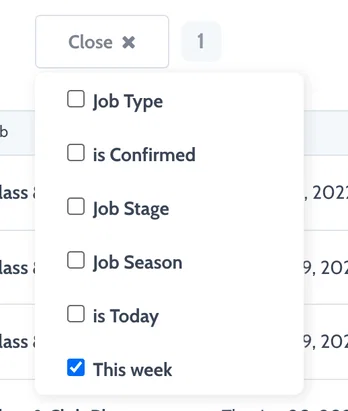
This week filter for your project list
Often there are times where you want to quickly see only the shoots that are happening this week. Now, you can filter down to just those jobs in just 2 clicks. Visit your projects page, click the filter dropdown and select 'This week' to check it out.
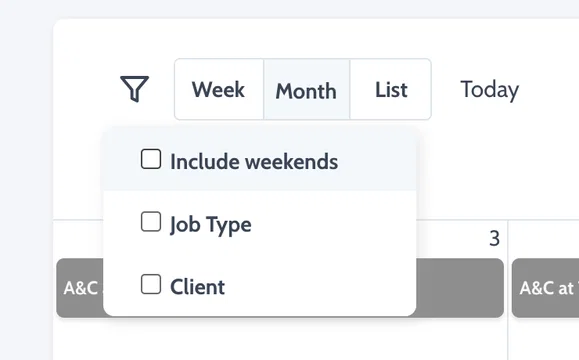
Hide weekends on your calendar
Weekends take up a good portion of the calendar viewing area. If you don't shoot on the weekends, you can now hide them to give more space to the rest of the week. ShootAssist will remember your preference and save it for next time too. Toggle weekends off in the filter menu while viewing the calendar.
Simple notes / Descriptions for your tasks and their templates
Easily give instructions, leave notes, provide context etc on tasks or their templates. Any notes you write on a task template will be carried over to all tasks created from the template. But, you can easily overwrite, update or change those notes on a per task basis.

It's now easier than ever to see when a job has multiple dates
No more guessing which jobs have multiple dates. You can now easily see all dates represented in your job list, on your job page and even in your automated emails... (more on that soon)
