Arrival time, Clearer rescheduling, better job creator & more
I'm excited for this update because of how many of the features came directly from some of you! Many of these features are targeted at better quality of life in ShootAssist. With that, let's jump into what's new in ShootAssist.
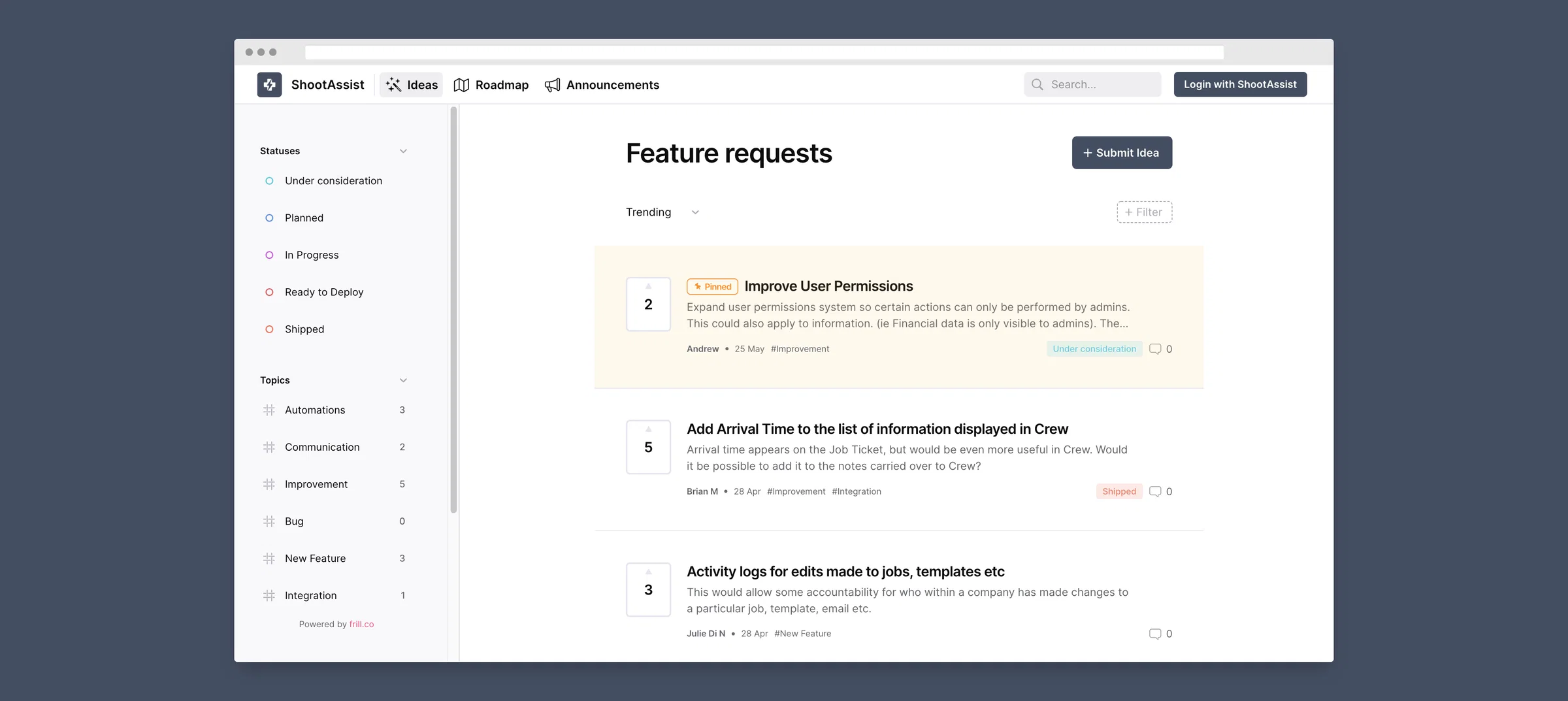
Feature Requests, voting, roadmap and announcements
I'm now using a feature request and tracking platform! Anytime you have a feature request, or want to see what others are requesting, simply click the blue bolt widget in the bottom right of your screen. From there you can share ideas, comment or vote on ideas from others, see what I'm working on and get updates about the latest releases. Thanks in advance for the ideas!
Better info in Crew and Calendar feed events
Up until today, events in the calendar feed ShootAssist creates have only had a link to the job. But now, they have all the same information that's availabe in Crew. This includes number of cameras, shoot location & address, start time and the contents of a flagged note if one exists. In addition, both Crew and the calendar feed's events now also display an arrival time which is the job's start time minus the job type's set up time. (Set in Settings)
Update Calendar feed to have the same event notes that are sent to Crew
Currently, the calendar feed events only have a link to the job in ShootAssist. But, it would be more useful if they had all the same info that's sent to Crew including start & arrival times, an address, shoot location, number of cameras etc.
2
Add Arrival Time to the list of information displayed in Crew
Arrival time appears on the Job Ticket, but would be even more useful in Crew. Would it be possible to add it to the notes carried over to Crew?
0
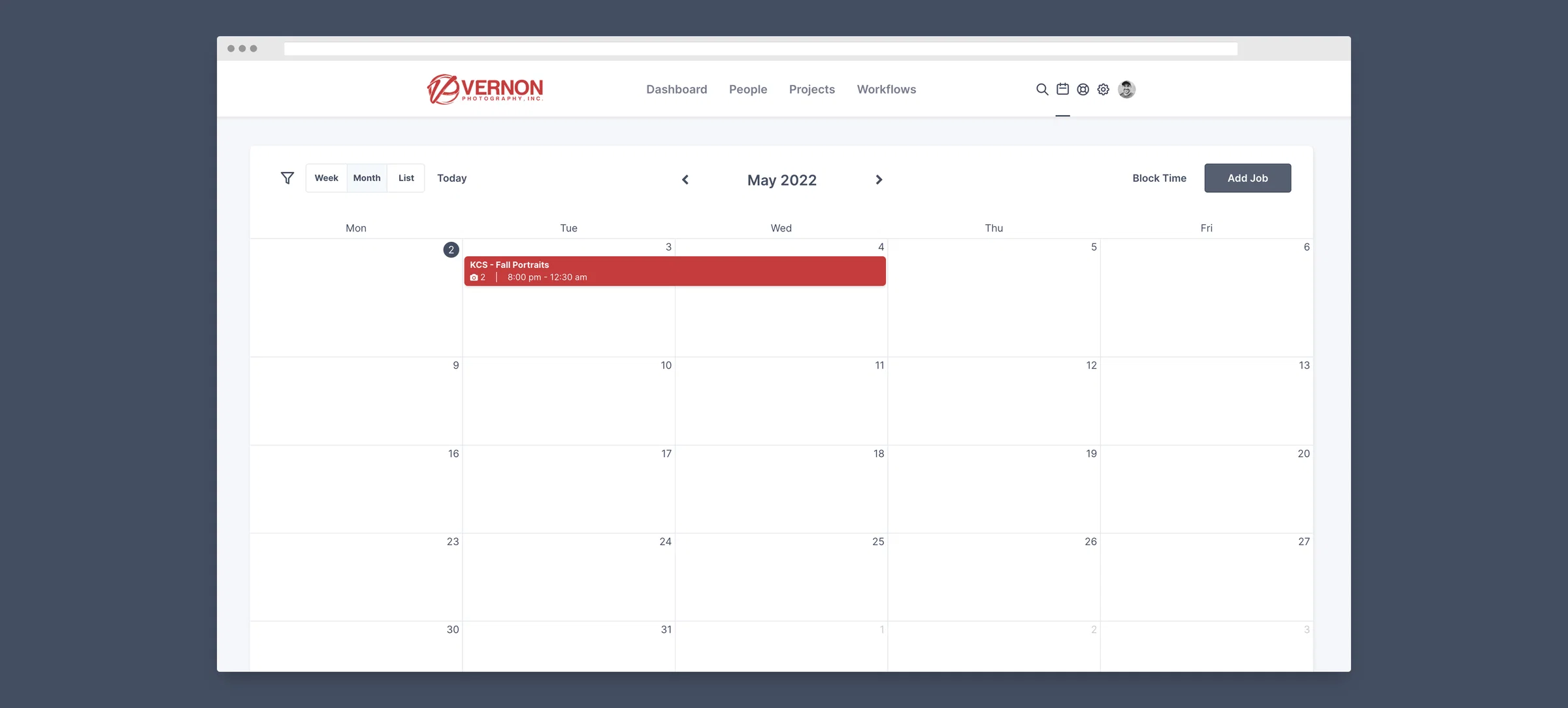
ShootAssist now better supports jobs that go overnight
One issue that's crept up from time to time is that ShootAssist didn't handle overnight dates very well. As a result, they sometimes wouldn't display correctly on the calendar or in the calendar feed. This has now been corrected so that ShootAssist can fully support all those midnight prom and candid events. Have fun!
Make it possible for a single job to start on one day and end on another.
Currently I can have multiple days as part of the same job, but there isn't a way to schedule a job where the shoot starts on one day and goes overnight into the next day. This would be very useful for proms and other events that go overnight.
0
Revamped form for creating & updating jobs
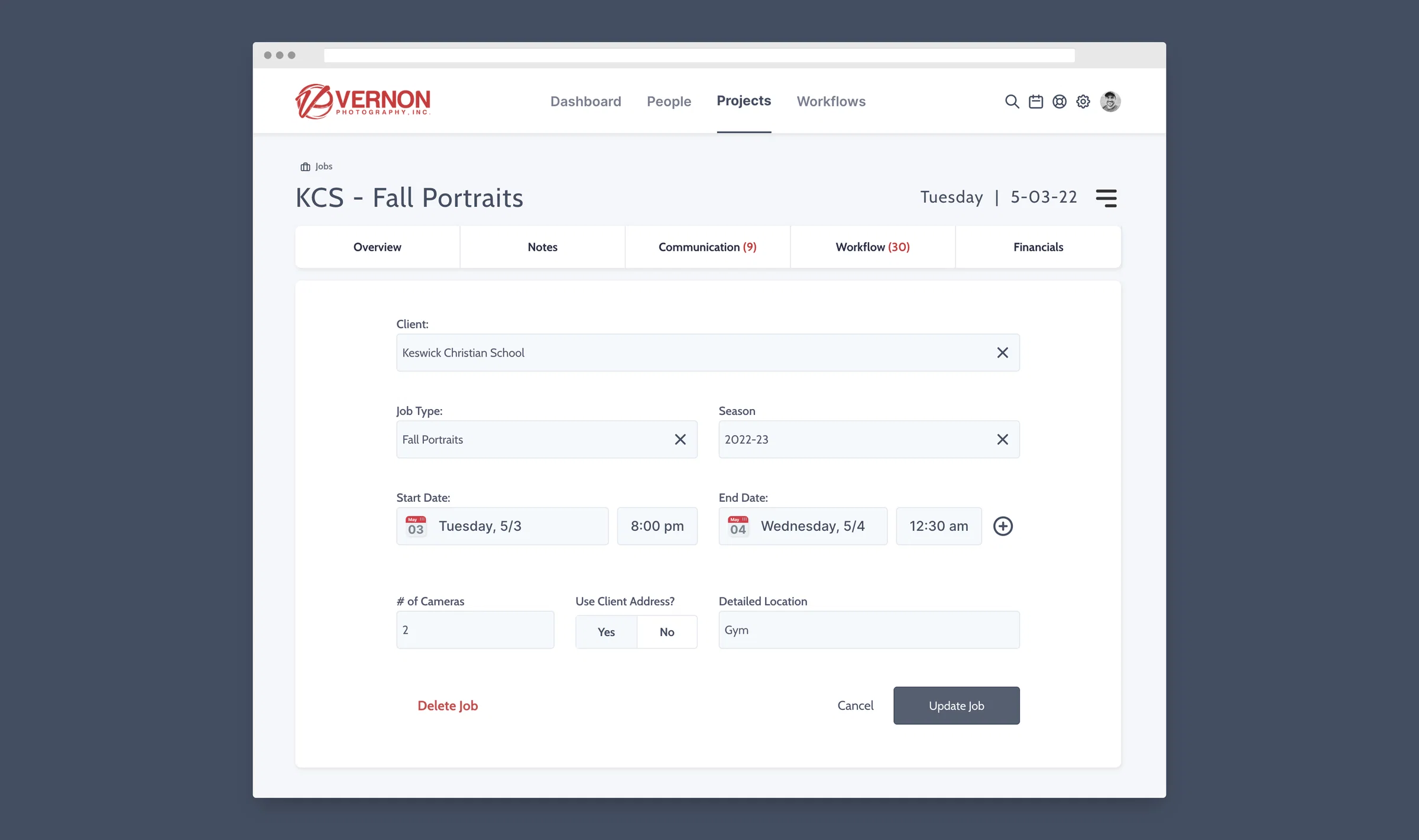
Building on the recent updates to the Client, Job Type and Season input fields, I've now completely revamped the job creation and update form. Those fields can now act as dropdowns or as quick search inputs and if the right record doesn't exist, you can create it while on the form without having to go into your settings. You'll notice the date selector is also new and gives full control over the start and end date AND time. Finally, those pesky toggles that led to some confusion are now updated with much simpler and easier to understand selectors for yes/no. Here's to creating and updating your jobs much faster than before.
Make Job Type and Season a Drop Down Box
Both the Job Type and Season used to be a drop down box when creating a new job. This has changed and you only see your job type options and season options when you start typing. We are concerned that this may lead to duplicate job types or seasons. Can we add the drop down box back?
2
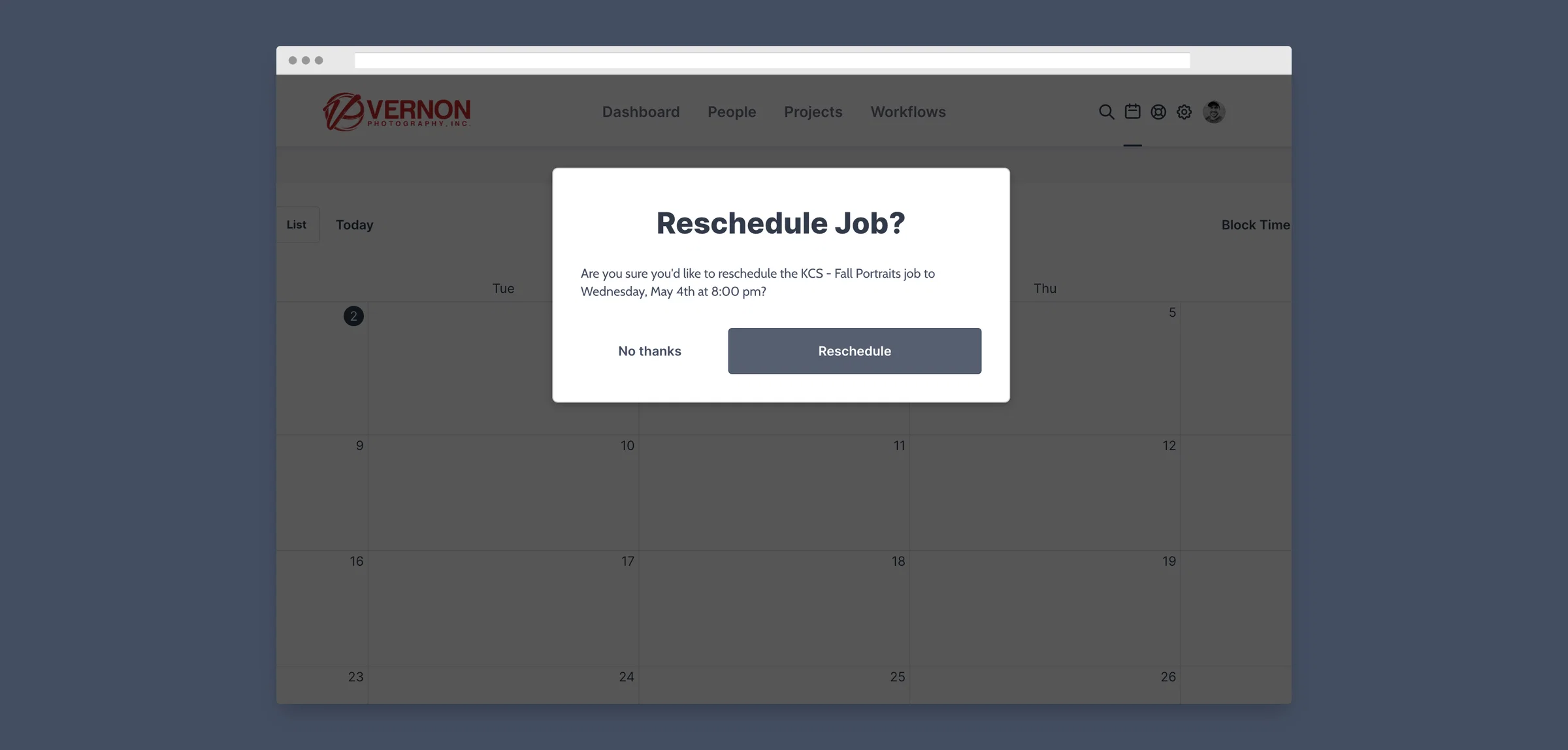
Confirmation when dragging events on the calendar
We've all been there... You accidentally drag an event on ShootAssist's calendar and it's immediately rescheduled to the new date. Major bummer. ShootAssist will now show a popup with the proposed date and time and allow you to cofirm the change before moving forward with it. #nomoremistakes